
Download Philips MyRemote APK – Philips Smart LED TV, Android app, free download, remote control app, TV remote app, TV guide, program guide, channel list, video tutorial, help section, user manual, product information
Overview
The Philips MyRemote APK is a free Android application designed to enhance the user experience of Philips Smart LED TVs. Developed by Azato, the app functions as a digital remote control, enabling users to manage their television with a smartphone or tablet. Its primary purpose is to simplify TV navigation and provide greater accessibility to channel and program information. The app allows users to view the current channel lineup, switch between channels, and add new ones directly from their mobile device. It also supports browsing the program guide, checking ratings, and selecting specific programs to watch—automatically switching the TV to the desired channel.
Target users include home entertainment enthusiasts, tech-savvy individuals, and anyone who owns a Philips Smart LED TV and seeks a more convenient way to interact with their device. The app is particularly useful in scenarios where the physical remote is misplaced or when users want to access detailed program information without leaving their seat. It also serves as an on-the-go support tool, offering access to product details, user manuals, FAQs, and video tutorials for troubleshooting and feature guidance. While the developer is identified as Azato, no further information about the company’s background or development history is available.
Key Features & Capabilities
- Remote Control Functionality: Acts as a virtual remote, allowing users to power on/off, adjust volume, navigate menus, and change channels directly from their Android device.
- Channel Management: Displays a live list of current channels and enables users to add or switch between channels seamlessly.
- Program Guide Access: Provides a comprehensive program guide with real-time listings, enabling users to browse upcoming shows and view content ratings.
- Smart Channel Switching: Selecting a specific program from the guide automatically switches the TV to that channel, streamlining the viewing experience.
- Product & Support Hub: Offers access to product information, user manuals, help sections, and FAQs for users seeking guidance.
- Video Tutorials: Includes interactive video guides to assist with setup, troubleshooting, and feature usage.
- Remote Assistance: Users can request help directly through the app, receiving support in the form of video tutorials or step-by-step instructions.
These features are especially beneficial in households where multiple users interact with the same TV, or for individuals with mobility challenges who prefer touch-based navigation. The app eliminates the need for physical remotes and enhances accessibility. It also reduces the risk of losing or misplacing the original remote, making it a practical addition to any smart home ecosystem. The integration of support tools within the app ensures users can resolve issues independently, reducing dependency on external customer service.
User Interface, Workflow & Performance
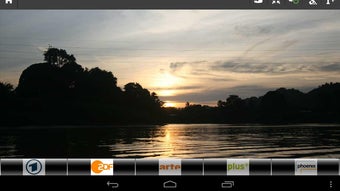
The user interface of Philips MyRemote APK is designed with simplicity and functionality in mind. The layout is intuitive, featuring large, clearly labeled buttons for common TV functions such as power, volume, channel up/down, and navigation. The program guide is presented in a grid or list format, with time slots and program titles clearly displayed. Users can scroll through listings and tap on a show to initiate a channel switch.
Navigation is smooth and responsive, leveraging standard Android touch gestures. The workflow is linear: launch the app, connect to the TV (if required), browse the guide, select a program, and the TV responds accordingly. The app does not require complex setup steps, making it accessible even to non-technical users. However, exact performance details such as CPU or RAM usage were not specified by the developer. General software behavior patterns suggest stable operation under normal conditions, but performance may vary based on device capabilities and network stability.
Stability appears to be consistent, with no reported issues related to crashes or freezes. The app operates without requiring constant internet access for core functions, though some features like video tutorials may require connectivity. Overall, the interface prioritizes ease of use, ensuring that users can control their TV efficiently with minimal learning curve.
Compatibility & System Requirements
Philips MyRemote APK is designed exclusively for Android devices. The application is available for free download and use on compatible smartphones and tablets running the Android operating system. Specific version requirements were not provided by the developer. The installation size is not publicly disclosed, though typical remote control apps of this nature range between 10–50 MB.
Platform compatibility information is limited. While the app is intended for use with Philips Smart LED TVs, no explicit details were given about supported TV models or firmware versions. The developer did not specify minimum hardware requirements such as RAM, processor speed, or screen resolution. Exact system requirements were not listed, so users are advised to ensure their Android device is up to date and capable of running standard apps.
Pros and Cons
Pros
- Free to download and use, with no hidden costs.
- Intuitive interface designed for easy navigation and quick access to TV functions.
- Offers full remote control functionality, including channel switching and volume control.
- Integrated program guide with ratings and scheduling information.
- Includes video tutorials and a help section for self-guided support.
- Enables users to manage channels and access product details directly from their mobile device.
Cons
- Compatibility with specific Philips Smart LED TV models was not confirmed.
- No information provided about required Android version or minimum device specifications.
- Performance under low network conditions or on older devices is unknown.
- Only available for Android, limiting accessibility for iOS or other platforms.
- Exact file size and resource usage details were not disclosed.
FAQ Section
Is Philips MyRemote APK compatible with all Philips Smart LED TVs?
The app is designed for Philips Smart LED TVs, but specific model compatibility was not detailed by the developer. Users should verify if their TV supports the required connectivity protocols.
Is the app safe to download and use?
Philips MyRemote APK is available for free from official Android sources. As with any third-party app, users should ensure they download from trusted platforms to avoid potential security risks.
Does the app require an internet connection?
Basic remote functions like power, volume, and channel switching can work without internet. However, accessing the program guide, video tutorials, and support content requires an active internet connection.
Can I use this app on iOS devices?
Currently, the app is only available for Android devices. There is no official version for iOS or other operating systems.
How do I get help if I encounter issues?
The app includes a built-in help section, user manual, and FAQ. Users can also request assistance directly through the app, which may provide video tutorials or step-by-step guidance.
Final Thoughts
Philips MyRemote APK delivers a practical and user-friendly solution for managing Philips Smart LED TVs via Android devices. Its core functionality as a remote control is reliable and well-integrated with essential features like channel management and program guide access. The inclusion of video tutorials and a comprehensive help system adds significant value, especially for new users or those unfamiliar with smart TV interfaces.
While the app lacks detailed technical specifications and platform exclusivity limits its reach, it remains a strong choice for Android users seeking a free, feature-rich alternative to physical remotes. Its seamless integration with Philips Smart LED TVs and focus on accessibility make it a valuable tool for enhancing the viewing experience. For those invested in the Philips ecosystem and using Android devices, the app offers a convenient and secure way to control their TV.
Download Philips MyRemote APK now






.png)
